
FermLabs Sample Request Portal
Quick User Guide
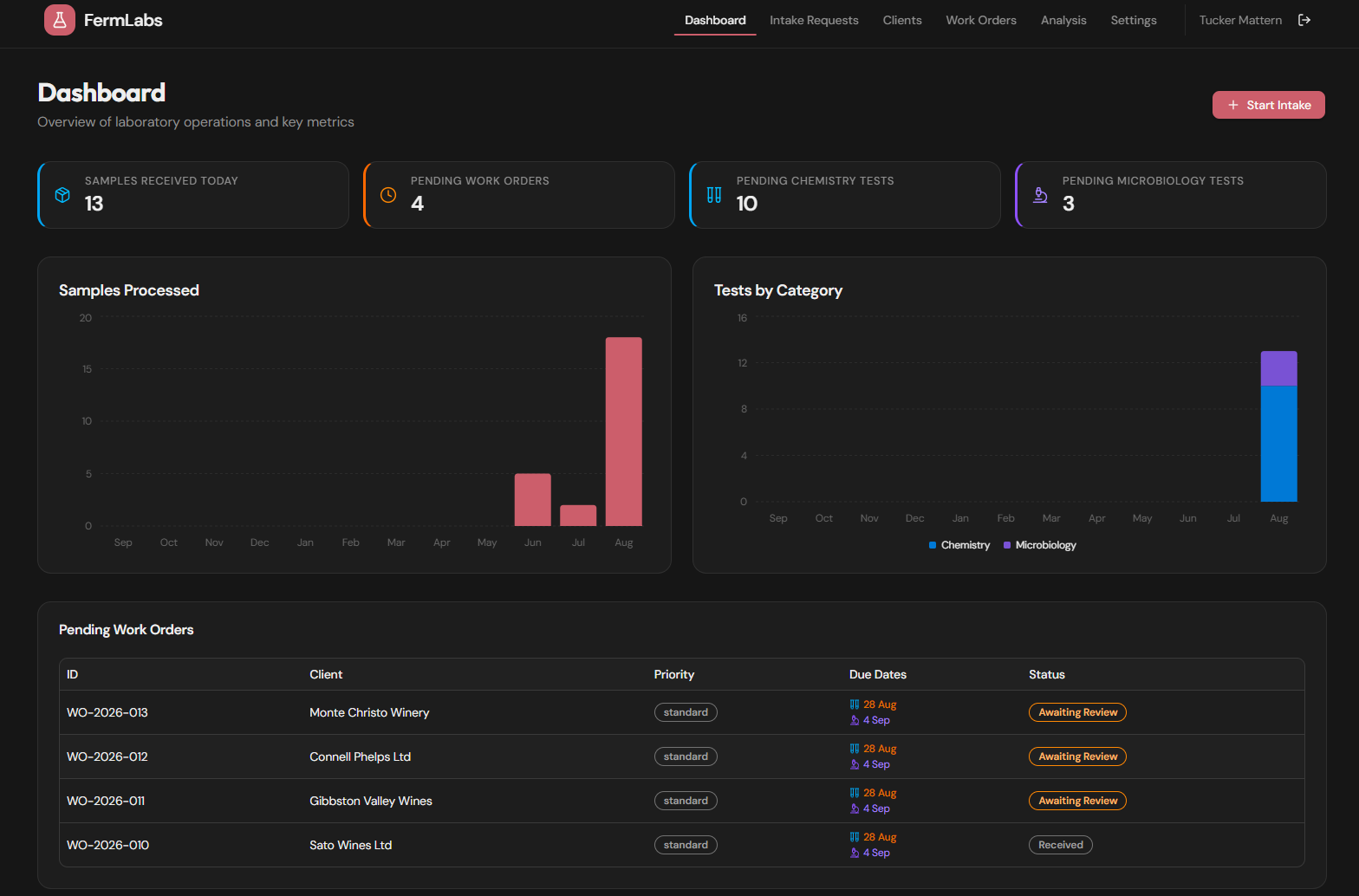
Our new Sample Request Portal is designed to make submitting samples simple, while giving you better visibility from sample receipt through to your final report.
Please note: The portal looks different from the main FermLabs website. This is expected. It is a safe and secure pathway protected by reCAPTCHA.
How to Submit Samples
1. Go to the FermLabs website
Navigate to the Request page as usual.
2. Open the Sample Request Portal
Click “ Online Request Form” to enter the new FermLabs Sample Request Portal.
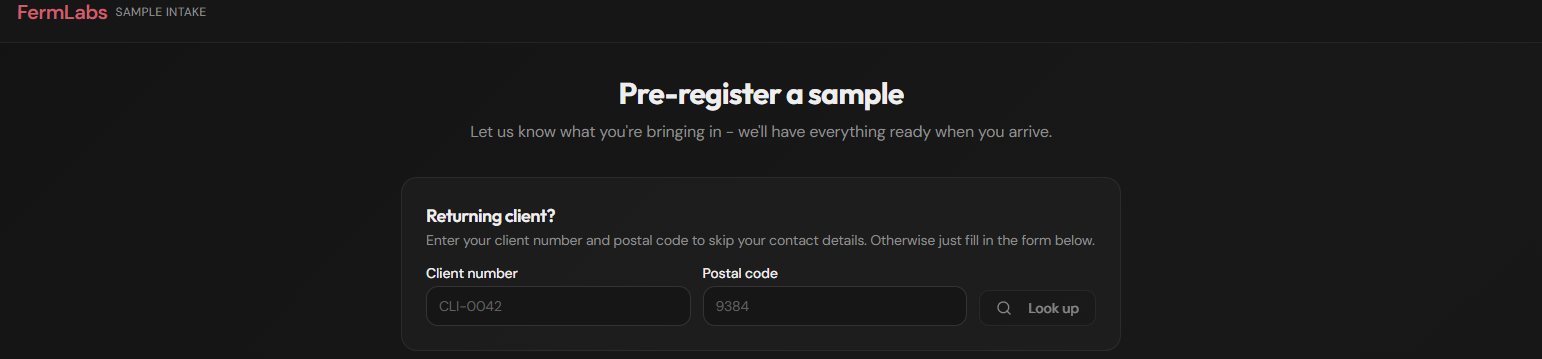
3. Enter or verify your details
You can look up your account using your Client Number and business postal code.
Enter your Client Number in the CLI-XXXX format, enter your business postal code, and press “Look Up.”
If the system recognises a match, you will simply be asked to enter your name and email address manually.
If the system does not recognise a match, no problem — simply proceed to complete the contact form in full.
After your first submission, your details should automatically populate for future requests.
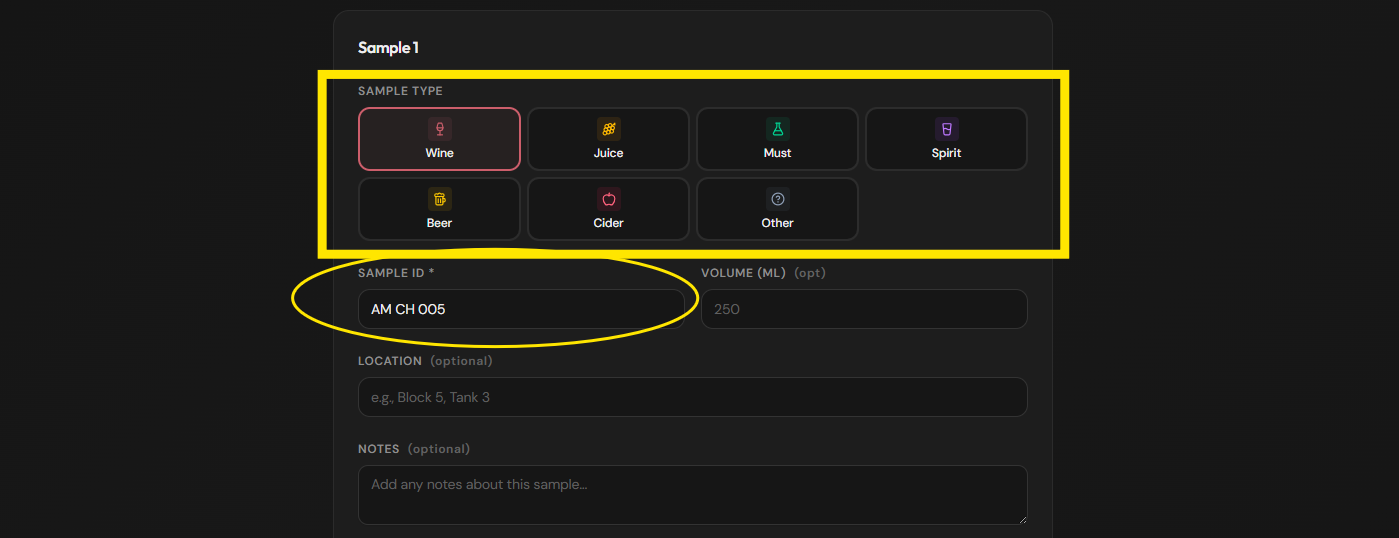
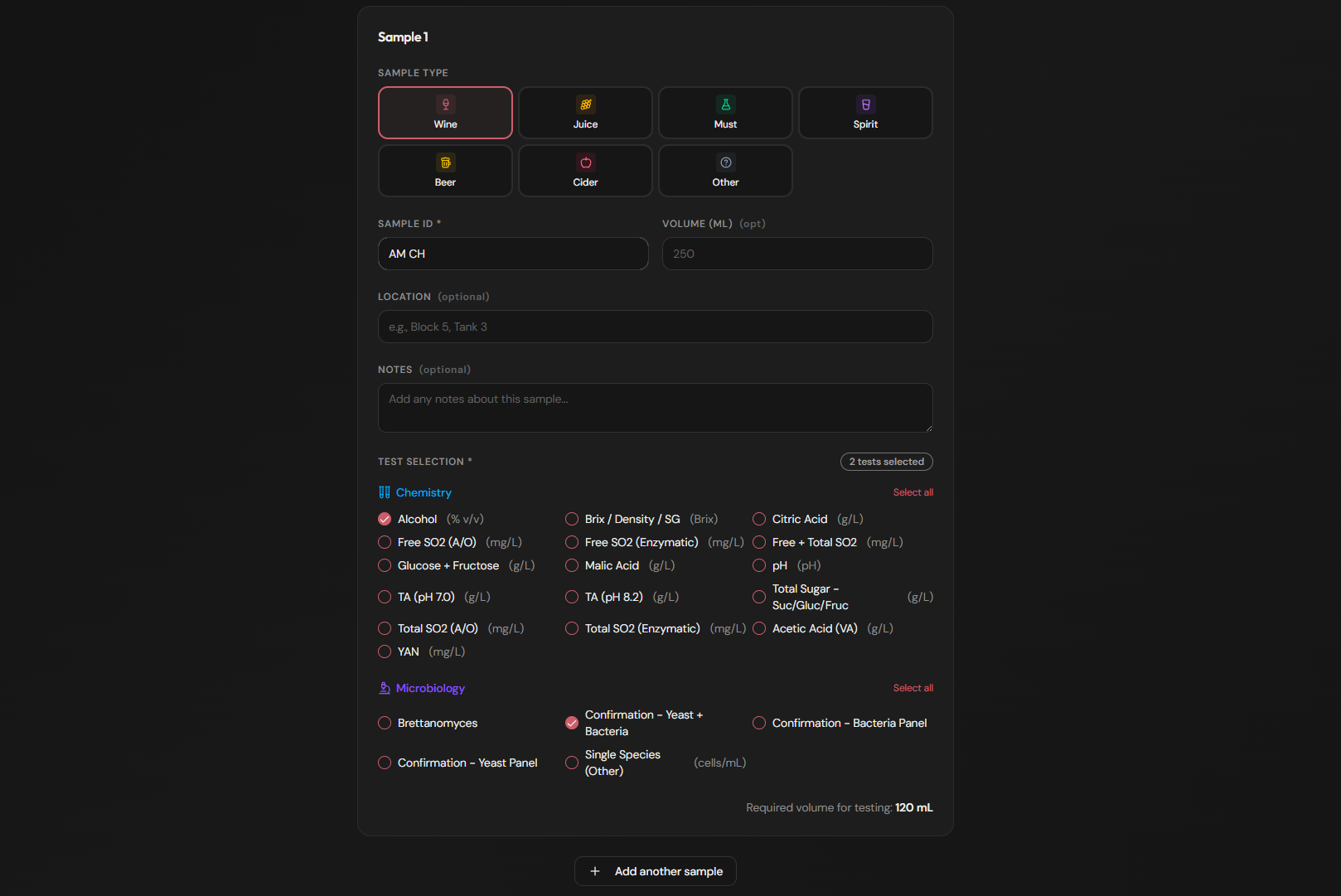
4. Add your sample
Select the sample type and enter the sample name. The sample type and name are the only reired fields in addition to analysis requested.
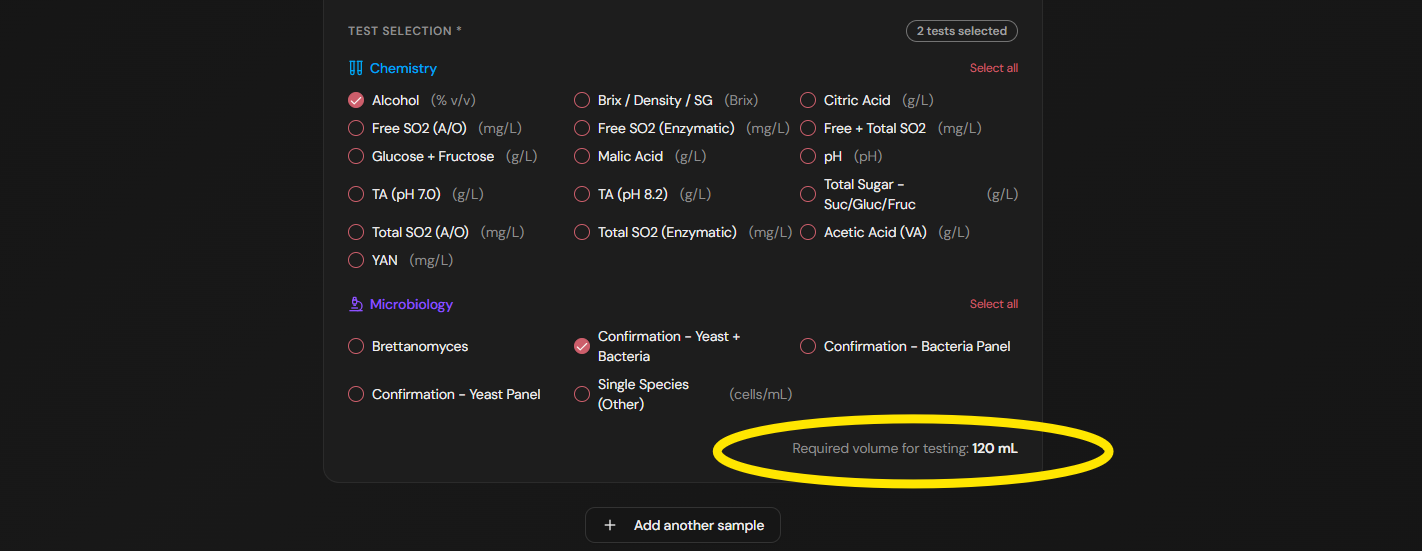
5. Select your analysis
Choose the analysis or analyses required for your sample.
As you add analyses, our handy sample volume calculator will automatically indicate the amount of sample required to complete your selected testing.
6. Add more samples
Submitting more than one sample? Click “Add Sample” at the bottom of the form and repeat Steps 4–5 until all samples have been entered.
7. Submit your request
Check your details, submit the request, and bring or send your samples to FermLabs as usual.
What Happens Next?
Once your samples arrive at FermLabs:
Your request will be accepted into the laboratory and added to our testing queue.
The primary contact on your account will receive confirmation that your samples have been received.
Samples will be processed in the order received, subject to any agreed priority or turnaround requirements.
Once testing is complete and the results have been reviewed and verified, your final laboratory report will automatically be emailed to all contacts listed on your client account.
One Important Change
Please submit every sample through the Sample Request Portal.
Using the portal for every submission allows us to properly track, trace, process and report your samples from arrival through to final results.
Once you've submitted the request and delivered your samples, the rest is on the FermLabs team.
Questions or having trouble with the portal?
Please get in touch — we're always happy to help.